
Windows 10 / 11 Desktop + Browser Mode Updated for NMS 7.14 (App v1.0.4) Signed Installer / Zero Cloud Uploads

No Man's Sky Save Editor for Windows 10 & 11

Edit No Man's Sky inventories, Corvettes, Starships, Multi-Tools, Freighters, Seeds, Supercharged slots, Currencies, Discovery logs, and Portal locations locally on your PC. Atlas Field Kit automatically locates Steam and Microsoft Store saves, backs up every save pair before writing, and exports clean 1600x900 stat cards for sharing builds.

Installer SHA-256: 69061376d7044f76ad5386293336b4f66a57833c67117fb83488221eab450092 (183,453,360 bytes, Authenticode signed)
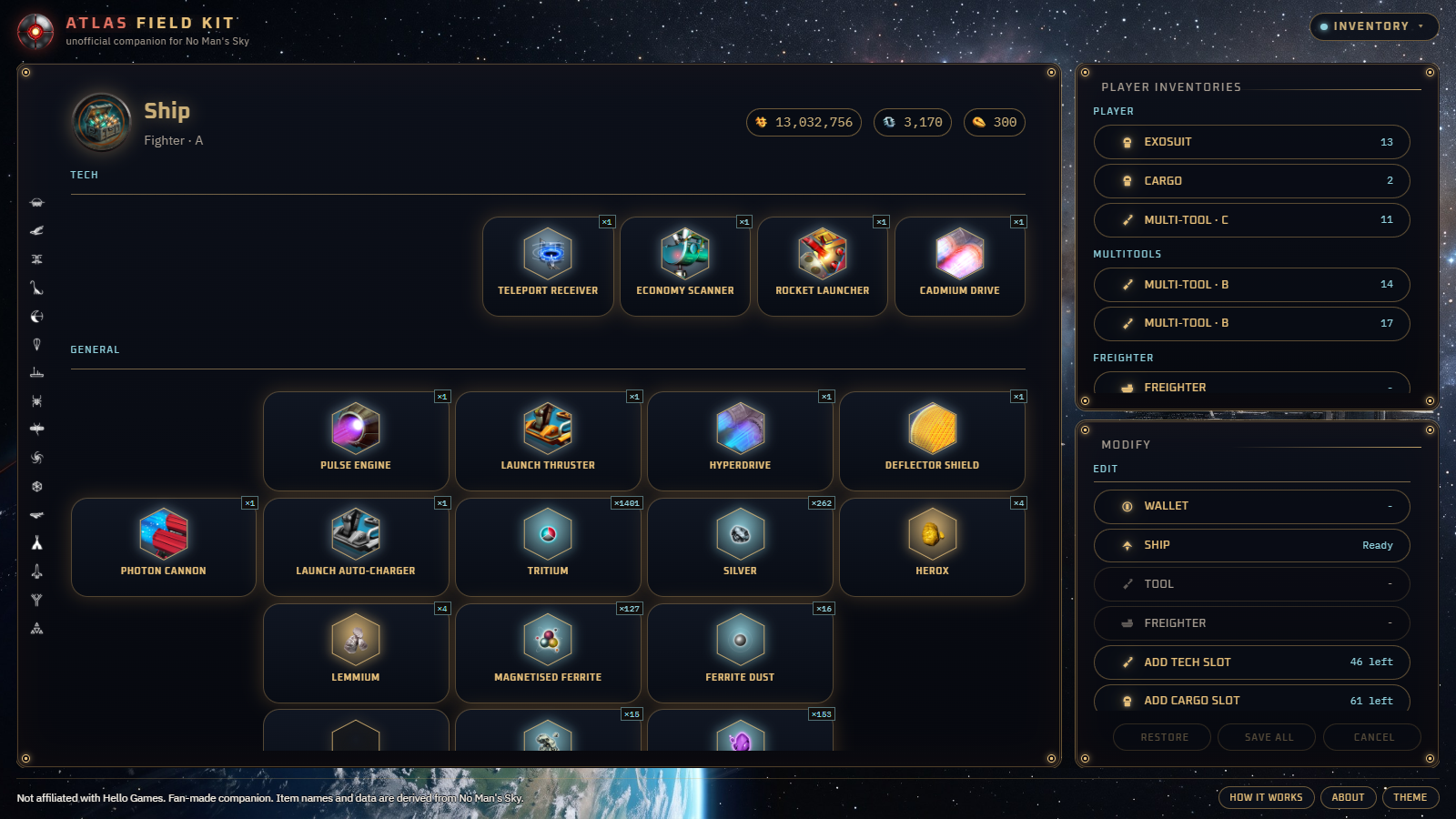
Atlas Field Kit Exosuit and Starship save editor grid in No Man's Sky

What You Can Edit & Inspect Locally

Exosuit, Ships, Corvettes & Freighters

Add or refill stacked materials and upgrades, toggle supercharged tech slots, adjust class rank, edit appearance seeds, and export a 1600x900 PNG vessel stat card in one click.

Safe Atomic Backups on Every Write

Every pending edit stays staged in memory until you press Save all. Before touching disk, the helper saves a restorable backup pair of your save slot so you can revert safely.

Units, Nanites, Quicksilver & Portal Teleport

Adjust currencies, manage Expedition milestone completion states, jump your player coordinates between systems via Portal hex or Signal Booster address, and inspect Settlements.

Frequently Asked Questions

Where does Atlas Field Kit look for saves? It reads standard Steam AppData saves (%APPDATA%\HelloGames\NMS) as well as Microsoft Store / Xbox PC saves locally, with an option to browse to any custom save folder.
Why does Windows SmartScreen appear on fresh builds? AtlasFieldKit-Setup.exe is Authenticode signed (69061376d7044f76...), and SmartScreen clears reputation warnings automatically as more Travellers install each new version. Click More info and Run anyway after checking the hash if desired.
Can I try the reference tools without installing? Yes. The Browser Edition at /apps/atlas-field-kit/ includes all 145 guides, crafting trees, Expeditions, and Portal converter offline in your browser. Save file reading and writing requires the local Windows app.